IntraWeb 17 One
Build the app.
Skip the plumbing cult
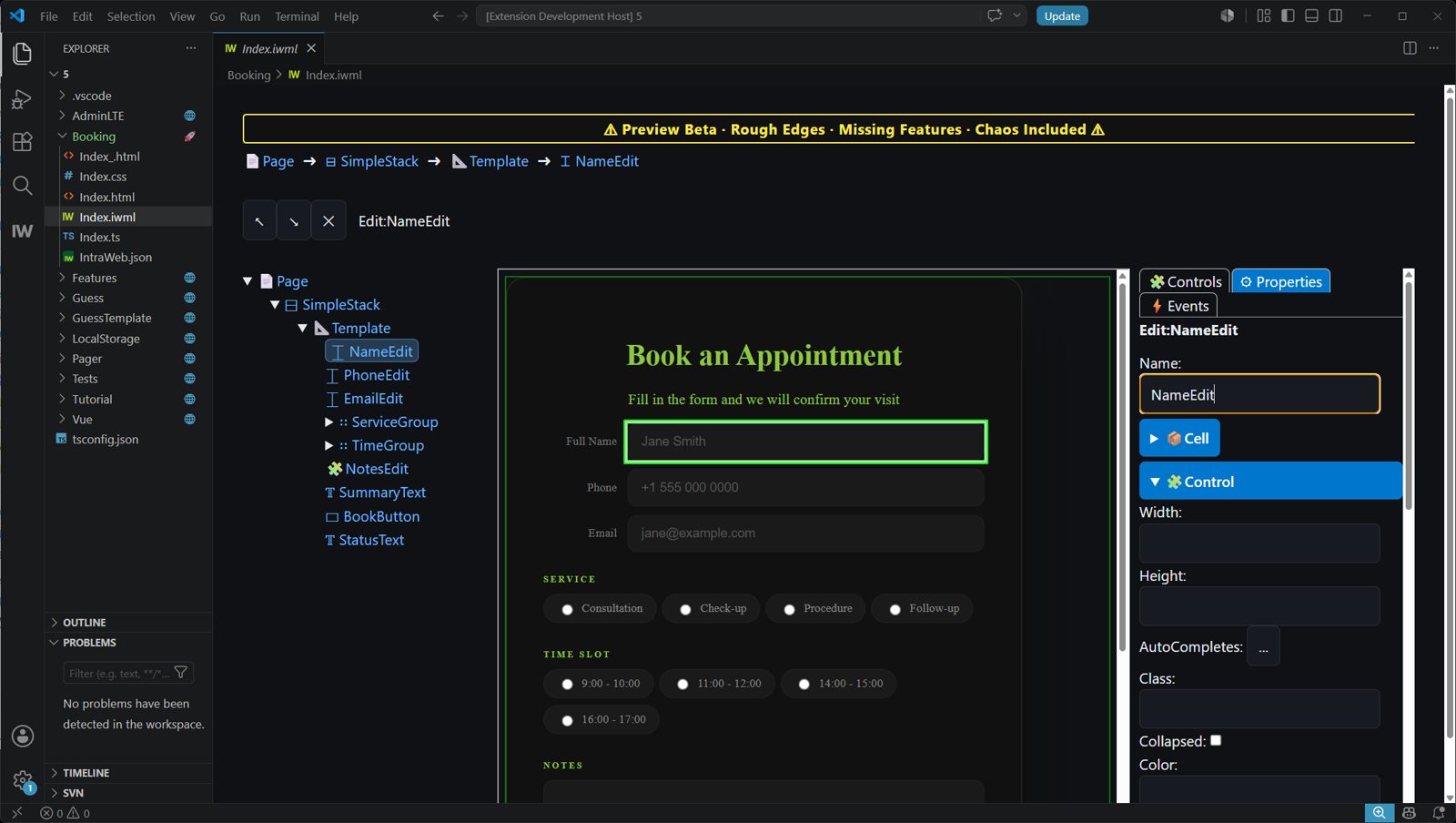
Create one application. IntraWeb One separates frontend and backend for you, then wires them together automatically. No glue code. No API layer. No integration busywork.





THE TOOLCHAIN
Stop the Toolchain Fatigue
Modern web development now starts with dependency trees, build pipelines, and a small mountain of other people’s code. IntraWeb 17 FE cuts the bloat, so your project starts with your app.
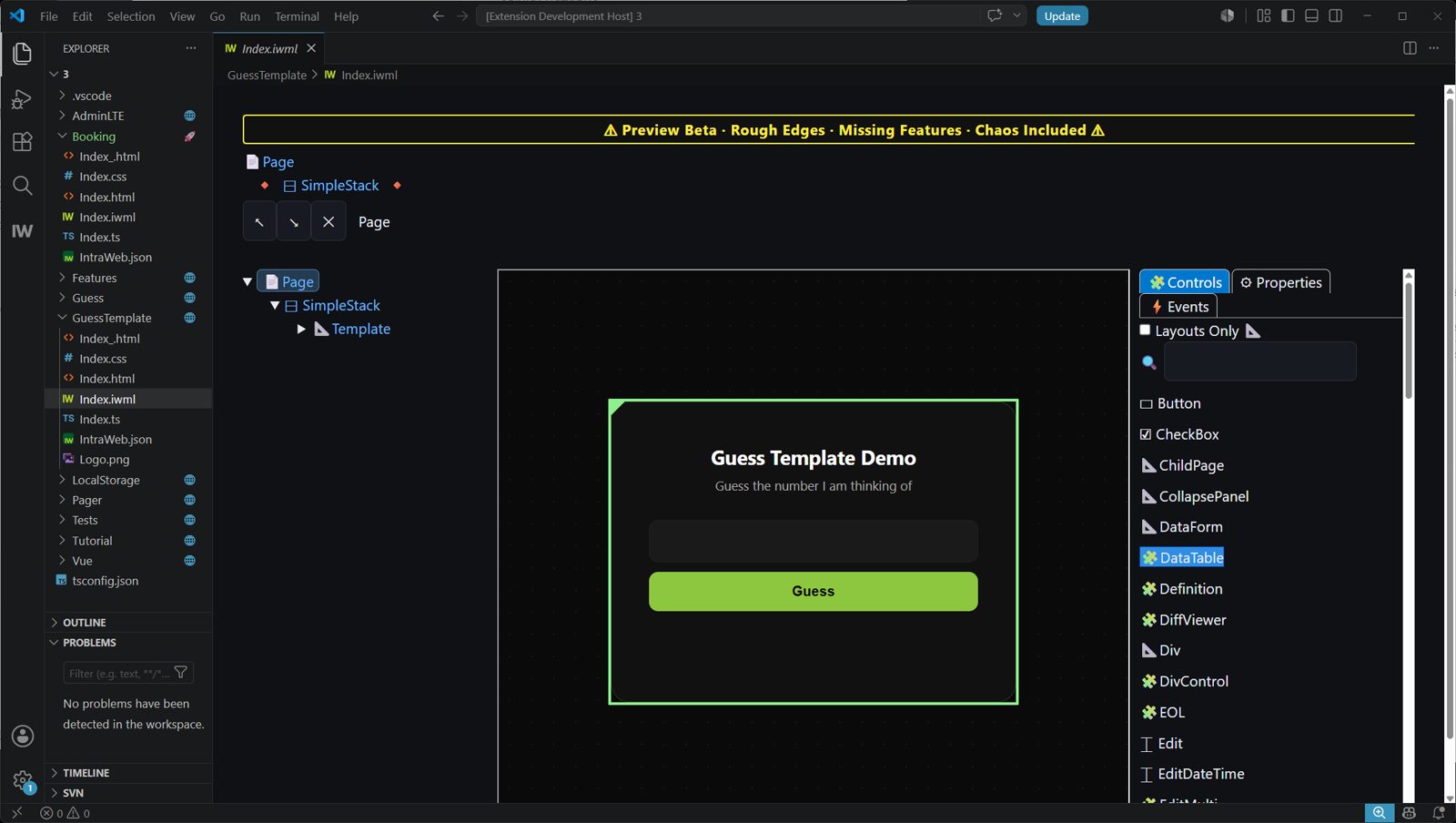
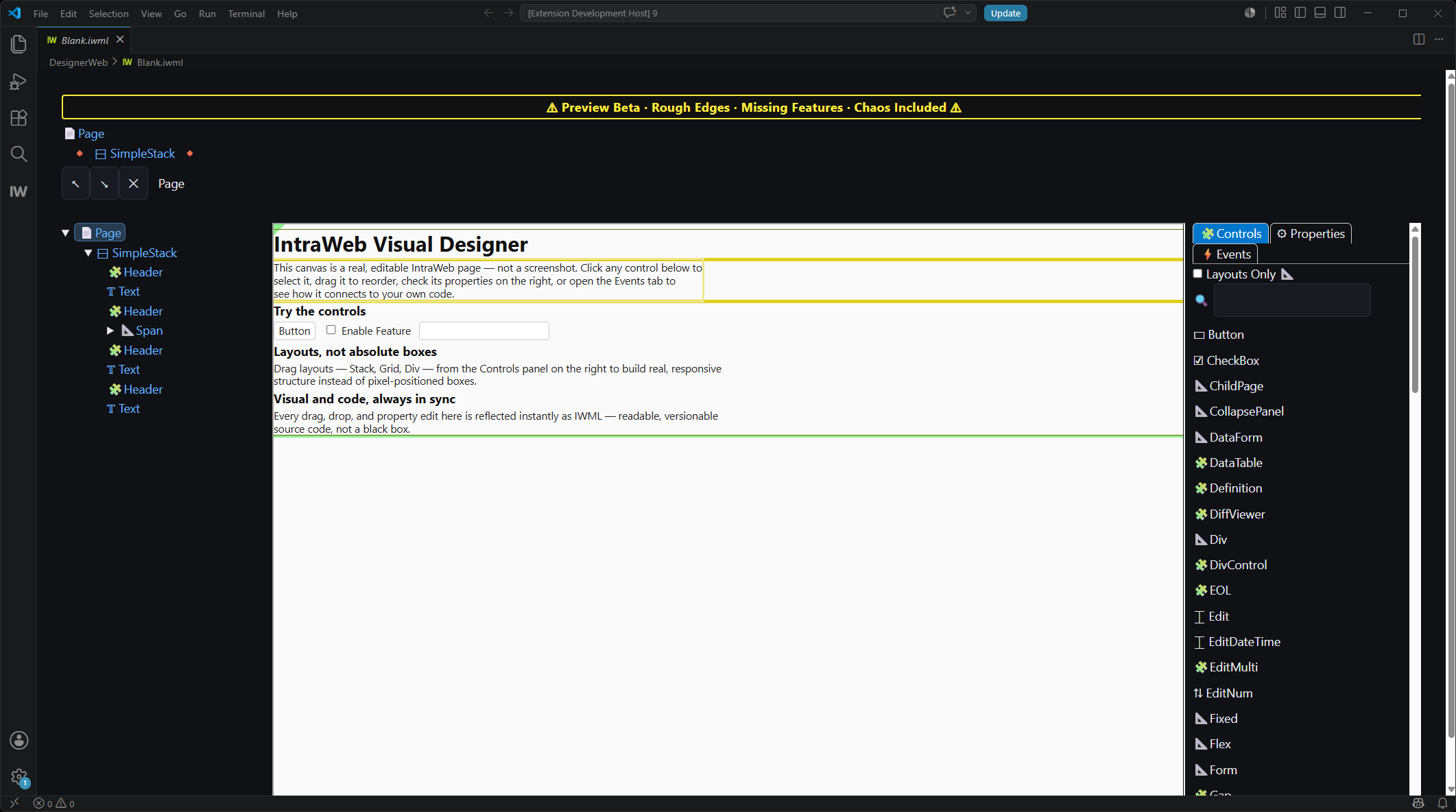
- Inside a professional Dev Environment – VS Code, fully integrated
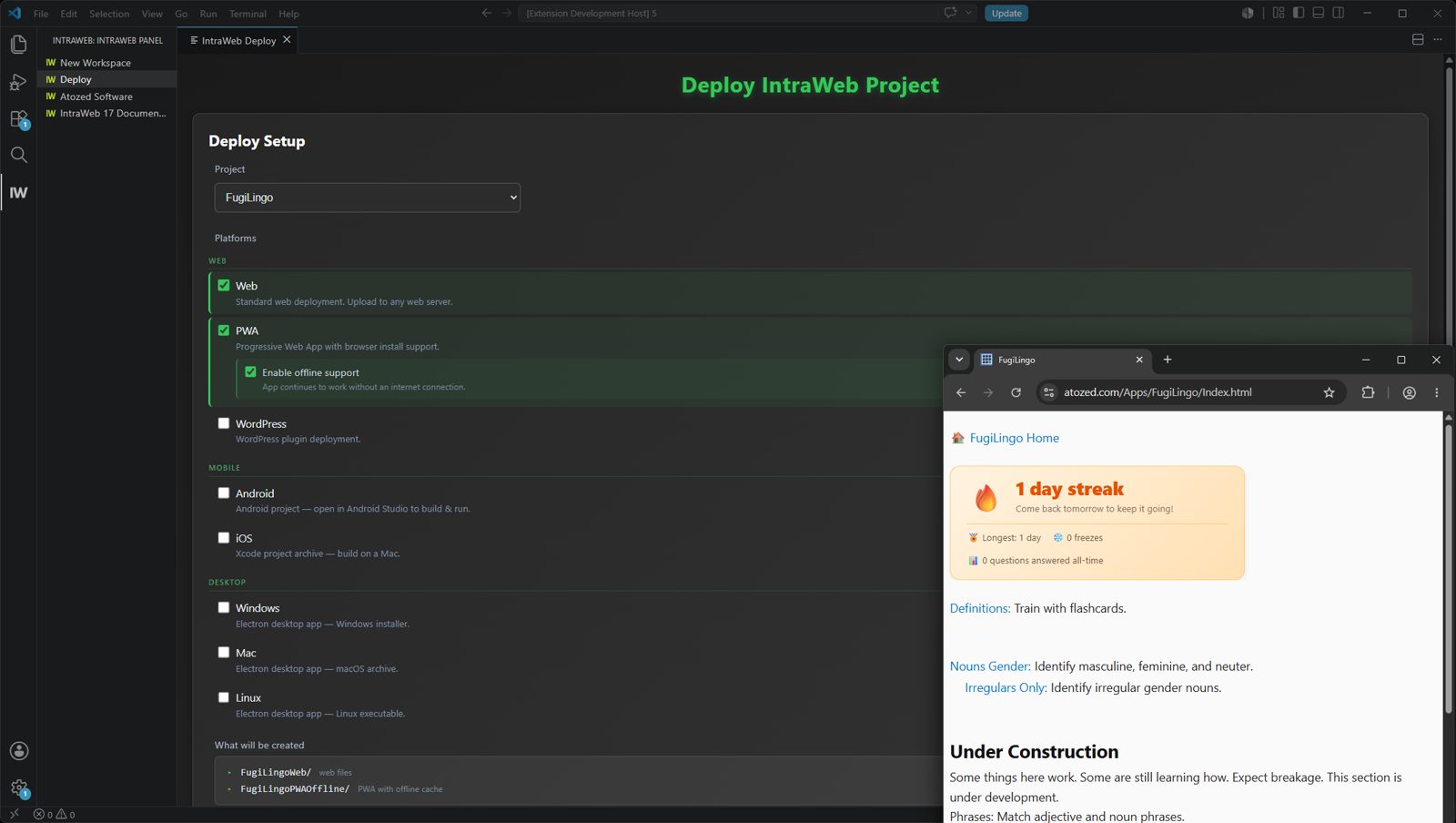
- Develop 100% offline, no cloud dependency
- Professional native debugging, no sourcemap gymnastics
- GIT / SVN source control works exactly as you’d expect
- Not hosted. Not SaaS. You own every byte of output
THE TOOLCHAIN
Stop the Toolchain Fatigue
Modern web development now starts with dependency trees, build pipelines, and a small mountain of other people’s code. IntraWeb 17 FE cuts the bloat, so your project starts with your app.
- Inside a professional Dev Environment – VS Code, fully integrated
- Develop 100% offline, no cloud dependency
- Professional native debugging, no sourcemap gymnastics
- GIT / SVN source control works exactly as you’d expect
- Not hosted. Not SaaS. You own every byte of output
See it in your own eyes
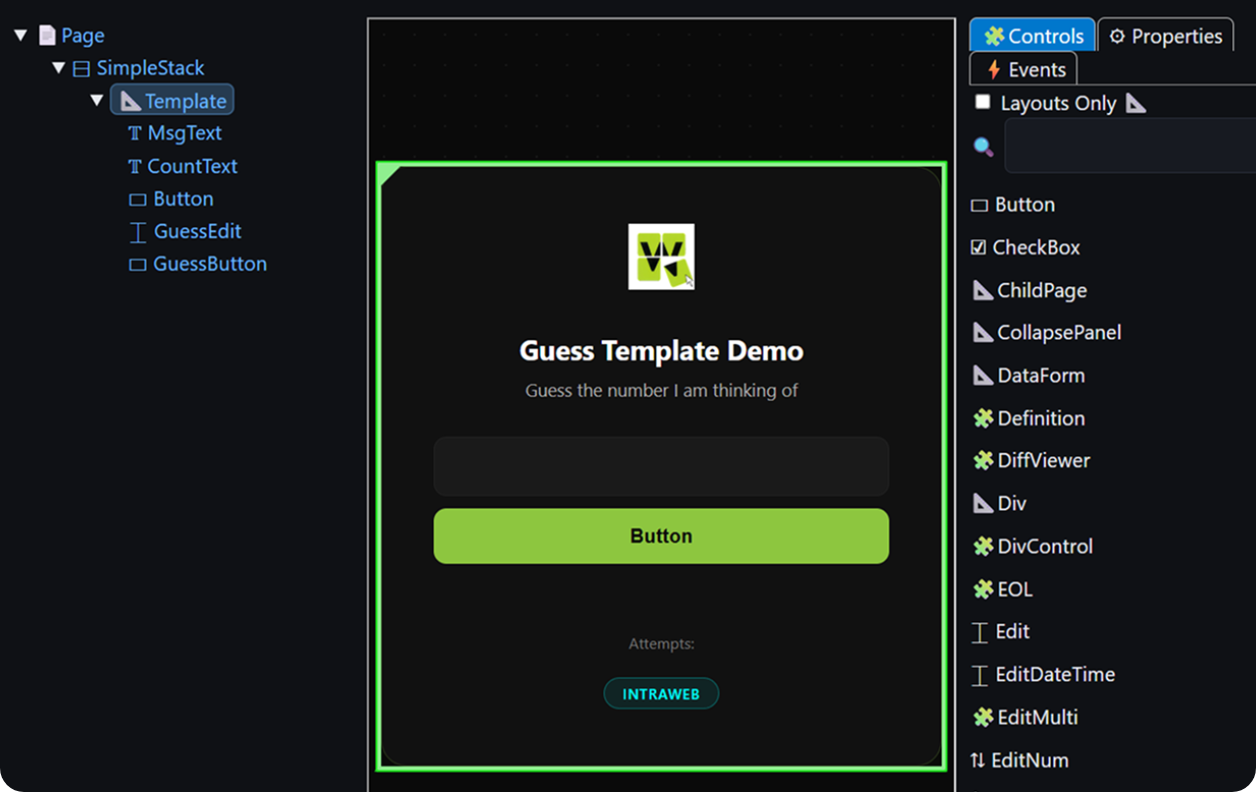
How it differs against the usual suspects
namespace GuessTemplate {
  export class Index extends IndexGen {
    public Count = 0;
    // Must init to a value so it has a type and exists.
    public Guess = NaN;
    public Msg = '';
    protected MagicNo = Math.floor((Math.random() * 100)+ 1);

    public WhenPageLoaded(): void {
      const xMagicNo = this.Page.WebParam('MagicNo');
      if (xMagicNo)this.MagicNo = parseInt(xMagicNo);
    }

    public WhenGuessButtonClicked(e: MouseEvent): void {
      if (e && e.shiftKey){
        IntraWeb.Dialogs.ShowMessage('The magic number is: ' + this.MagicNo);
        return;
      }

      this.Msg = '';
      if (isNaN(this.Guess)) {
        // Need to retrieve value from Edit itself when its an invalid number.
        this.Msg = this.GuessEdit.Text.Value + ' is not a valid number.';
      }else if (this.Guess < 1 || this.Guess > 100) {
        this.Msg = this.Guess + ' is not in the range of 1 to 100.';
      }else {
        this.Count++;

        if (this.Guess < this.MagicNo) {
          this.Msg = this.Guess + ' is too low.';
        }else if (this.Guess > this.MagicNo) {
          this.Msg = this.Guess + ' is too high.';
        }else if (this.Guess === this.MagicNo) {
          IntraWeb.Dialogs.ShowMessage('Congratulations! You guessed the magic number.');
          this.GuessButton.Enabled.Value = false;
        }
      }

      this.GuessEdit.Focus();
      this.Guess = NaN;
    }
  }
}import { useState, useRef, useEffect } from 'react'
const logo = '/Logo.png'
function App() {
const [guess, setGuess] = useState('')
const [msg, setMsg] = useState('')
const [count, setCount] = useState(0)
const [disabled, setDisabled] = useState(false)
const magicNo = useRef(Math.floor(Math.random() * 100) + 1)
const inputRef = useRef(null)
useEffect(() => {
const params = new URLSearchParams(window.location.search)
const magic = params.get('MagicNo')
if (magic) magicNo.current = parseInt(magic)
inputRef.current?.focus()
}, [])
function handleGuess(e) {
if (e && e.shiftKey) {
alert('The magic number is: ' + magicNo.current)
return
}
const num = parseInt(guess)
if (isNaN(num)) {
setMsg(guess + ' is not a valid number.')
} else if (num < 1 || num > 100) {
setMsg(num + ' is not in the range of 1 to 100.')
} else {
setCount(c => c + 1)
if (num < magicNo.current) {
setMsg(num + ' is too low.')
} else if (num > magicNo.current) {
setMsg(num + ' is too high.')
} else {
alert('Congratulations! You guessed the magic number.')
setMsg('')
setDisabled(true)
}
}
setGuess('')
inputRef.current?.focus()
}
function handleKeyDown(e) {
if (e.key === 'Enter' && !disabled) {
handleGuess(e)
}
}
return (
<div className="Card">
<div className="Logo">
<img src={logo} alt="Logo" />
</div>
<h1>Guess the Number</h1>
<p>I'm thinking of a number between 1 and 100. Can you guess it?</p>
<div className="Input">
<input
ref={inputRef}
type="number"
placeholder="Enter your guess..."
value={guess}
onChange={e => setGuess(e.target.value)}
onKeyDown={handleKeyDown}
disabled={disabled}
/>
</div>
<div className="Button">
<button onClick={handleGuess} disabled={disabled}>
Guess
</button>
</div>
<div className="Msg">{msg}</div>
{count > 0 && <div className="Counter">Attempts: {count}</div>}
<div className="FrameworkBadge">React</div>
</div>
)
}
export default Appnamespace GuessTemplate {
export class Index extends IndexGen {
public Count = 0;
// Must init to a value so it has a type and exists.
public Guess = NaN;
public Msg = '';
protected MagicNo = Math.floor((Math.random() * 100)+ 1);
public WhenPageLoaded(): void {
const xMagicNo = this.Page.WebParam('MagicNo');
if (xMagicNo)this.MagicNo = parseInt(xMagicNo);
}
public WhenGuessButtonClicked(e: MouseEvent): void {
if (e && e.shiftKey){
IntraWeb.Dialogs.ShowMessage('The magic number is: ' + this.MagicNo);
return;
}
this.Msg = '';
if (isNaN(this.Guess)) {
// Need to retrieve value from Edit itself when its an invalid number.
this.Msg = this.GuessEdit.Text.Value + ' is not a valid number.';
}else if (this.Guess < 1 || this.Guess > 100) {
this.Msg = this.Guess + ' is not in the range of 1 to 100.';
}else {
this.Count++;
if (this.Guess < this.MagicNo) {
this.Msg = this.Guess + ' is too low.';
}else if (this.Guess > this.MagicNo) {
this.Msg = this.Guess + ' is too high.';
}else if (this.Guess === this.MagicNo) {
IntraWeb.Dialogs.ShowMessage('Congratulations! You guessed the magic number.');
this.GuessButton.Enabled.Value = false;
}
}
this.GuessEdit.Focus();
this.Guess = NaN;
}
}
}<template>
<div class="Card">
<div class="Logo">
<img src="/Logo.png" alt="Logo" />
</div>
<h1>Guess the Number</h1>
<p>I'm thinking of a number between 1 and 100. Can you guess it?</p>
<div class="Input">
<input
ref="inputRef"
v-model="guess"
type="number"
placeholder="Enter your guess..."
:disabled="disabled"
@keydown.enter="handleGuess"
/>
</div>
<div class="Button">
<button @click="handleGuess" :disabled="disabled">Guess</button>
</div>
<div class="Msg">{{ msg }}</div>
<div v-if="count > 0" class="Counter">Attempts: {{ count }}</div>
<div class="FrameworkBadge">Vue</div>
</div>
</template>
<script setup>
import { ref, onMounted } from 'vue'
const guess = ref('')
const msg = ref('')
const count = ref(0)
const disabled = ref(false)
const inputRef = ref(null)
const params = new URLSearchParams(window.location.search)
const magicNo = params.get('MagicNo')
? parseInt(params.get('MagicNo'))
: Math.floor(Math.random() * 100) + 1
onMounted(() => {
inputRef.value?.focus()
})
function handleGuess(e) {
if (e?.shiftKey) {
alert('The magic number is: ' + magicNo)
return
}
const num = parseInt(guess.value)
if (isNaN(num)) {
msg.value = guess.value + ' is not a valid number.'
} else if (num < 1 || num > 100) {
msg.value = num + ' is not in the range of 1 to 100.'
} else {
count.value++
if (num < magicNo) {
msg.value = num + ' is too low.'
} else if (num > magicNo) {
msg.value = num + ' is too high.'
} else {
alert('Congratulations! You guessed the magic number.')
msg.value = ''
disabled.value = true
}
}
guess.value = ''
inputRef.value?.focus()
}
</script>namespace GuessTemplate {
export class Index extends IndexGen {
public Count = 0;
// Must init to a value so it has a type and exists.
public Guess = NaN;
public Msg = '';
protected MagicNo = Math.floor((Math.random() * 100)+ 1);
public WhenPageLoaded(): void {
const xMagicNo = this.Page.WebParam('MagicNo');
if (xMagicNo)this.MagicNo = parseInt(xMagicNo);
}
public WhenGuessButtonClicked(e: MouseEvent): void {
if (e && e.shiftKey){
IntraWeb.Dialogs.ShowMessage('The magic number is: ' + this.MagicNo);
return;
}
this.Msg = '';
if (isNaN(this.Guess)) {
// Need to retrieve value from Edit itself when its an invalid number.
this.Msg = this.GuessEdit.Text.Value + ' is not a valid number.';
}else if (this.Guess < 1 || this.Guess > 100) {
this.Msg = this.Guess + ' is not in the range of 1 to 100.';
}else {
this.Count++;
if (this.Guess < this.MagicNo) {
this.Msg = this.Guess + ' is too low.';
}else if (this.Guess > this.MagicNo) {
this.Msg = this.Guess + ' is too high.';
}else if (this.Guess === this.MagicNo) {
IntraWeb.Dialogs.ShowMessage('Congratulations! You guessed the magic number.');
this.GuessButton.Enabled.Value = false;
}
}
this.GuessEdit.Focus();
this.Guess = NaN;
}
}
}// app.html
<div class="Card">
<div class="Logo">
<img src="Logo.png" alt="Logo" />
</div>
<h1>Guess the Number</h1>
<p>I'm thinking of a number between 1 and 100. Can you guess it?</p>
<div class="Input">
<input
#inputRef
[ngModel]="guess()"
(ngModelChange)="guess.set($event)"
type="number"
placeholder="Enter your guess..."
[disabled]="disabled()"
(keydown.enter)="handleGuess($event)"
/>
</div>
<div class="Button">
<button (click)="handleGuess($event)" [disabled]="disabled()">Guess</button>
</div>
<div class="Msg">{{ msg() }}</div>
@if (count() > 0) {
<div class="Counter">Attempts: {{ count() }}</div>
}
<div class="FrameworkBadge">Angular</div>
</div>
// app.ts
import { Component, signal, ViewChild, ElementRef, AfterViewInit } from '@angular/core';
import { FormsModule } from '@angular/forms';
@Component({
selector: 'app-root',
imports: [FormsModule],
templateUrl: './app.html',
styleUrl: './app.scss'
})
export class App implements AfterViewInit {
@ViewChild('inputRef') inputRef!: ElementRef<HTMLInputElement>;
readonly guess = signal('');
readonly msg = signal('');
readonly count = signal(0);
readonly disabled = signal(false);
private readonly magicNo: number;
constructor() {
const params = new URLSearchParams(window.location.search);
const fromQuery = params.get('MagicNo');
this.magicNo = fromQuery
? parseInt(fromQuery, 10)
: Math.floor(Math.random() * 100) + 1;
}
ngAfterViewInit(): void {
this.inputRef.nativeElement.focus();
}
handleGuess(event?: Event): void {
if ((event as KeyboardEvent | MouseEvent | undefined)?.shiftKey) {
alert('The magic number is: ' + this.magicNo);
return;
}
const raw = this.guess();
const num = parseInt(raw, 10);
if (isNaN(num)) {
this.msg.set(raw + ' is not a valid number.');
} else if (num < 1 || num > 100) {
this.msg.set(num + ' is not in the range of 1 to 100.');
} else {
this.count.update(c => c + 1);
if (num < this.magicNo) {
this.msg.set(num + ' is too low.');
} else if (num > this.magicNo) {
this.msg.set(num + ' is too high.');
} else {
alert('Congratulations! You guessed the magic number.');
this.msg.set('');
this.disabled.set(true);
}
}
this.guess.set('');
this.inputRef.nativeElement.focus();
}
}

Custom HTML
Blocks
for WordPress
One of the most visual ways to integrate IntraWeb into an existing WordPress site: design the block in IntraWeb, publish the generated files, and place the app inside WordPress with the built-in Custom HTML block.
From IntraWeb Designer to a live WordPress page
Create the block visually, publish the generated files, and mount the working IntraWeb app inside WordPress with a native Custom HTML block.
Let’s show you on the example of a booking sectionDesign & publish the IntraWeb block
Build the UI visually in IntraWeb Designer, then publish the generated HTML, CSS, JavaScript, and configuration files to the server. In this example, the block is a booking form that can save submitted data.
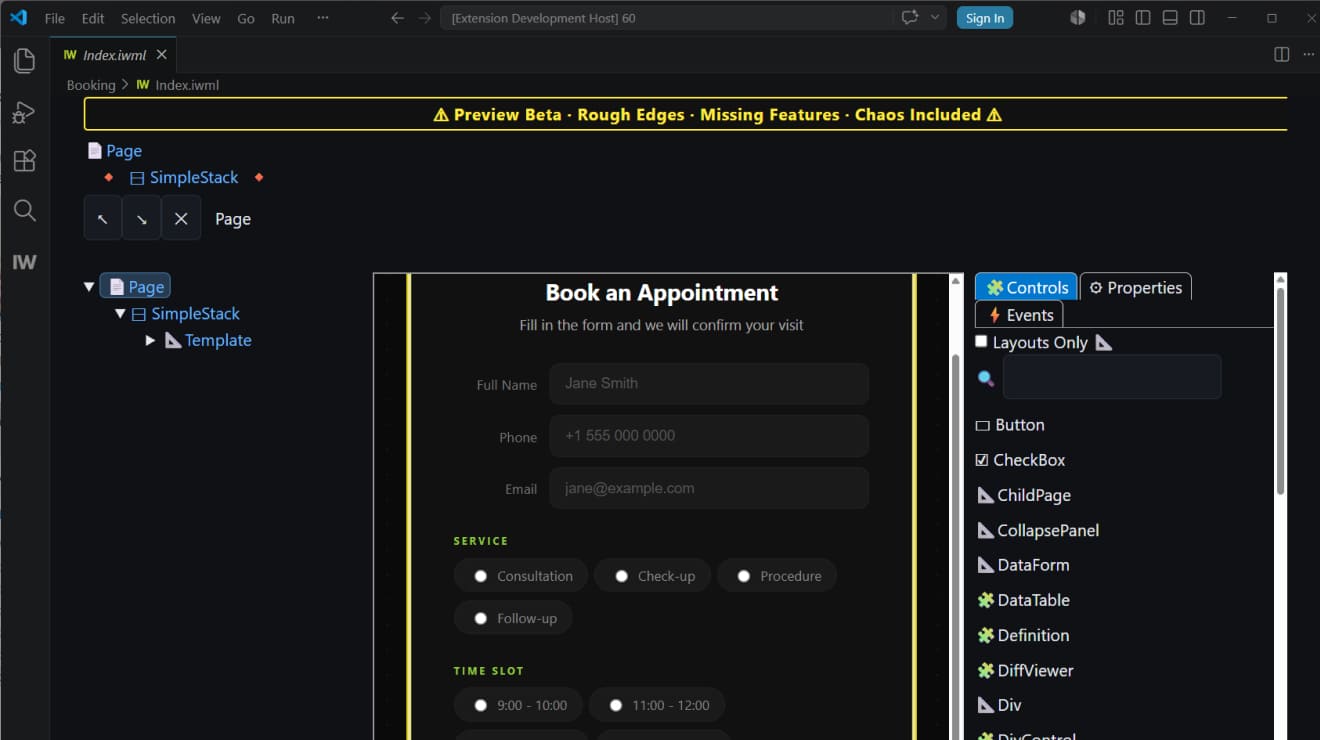 IntraWeb Designer
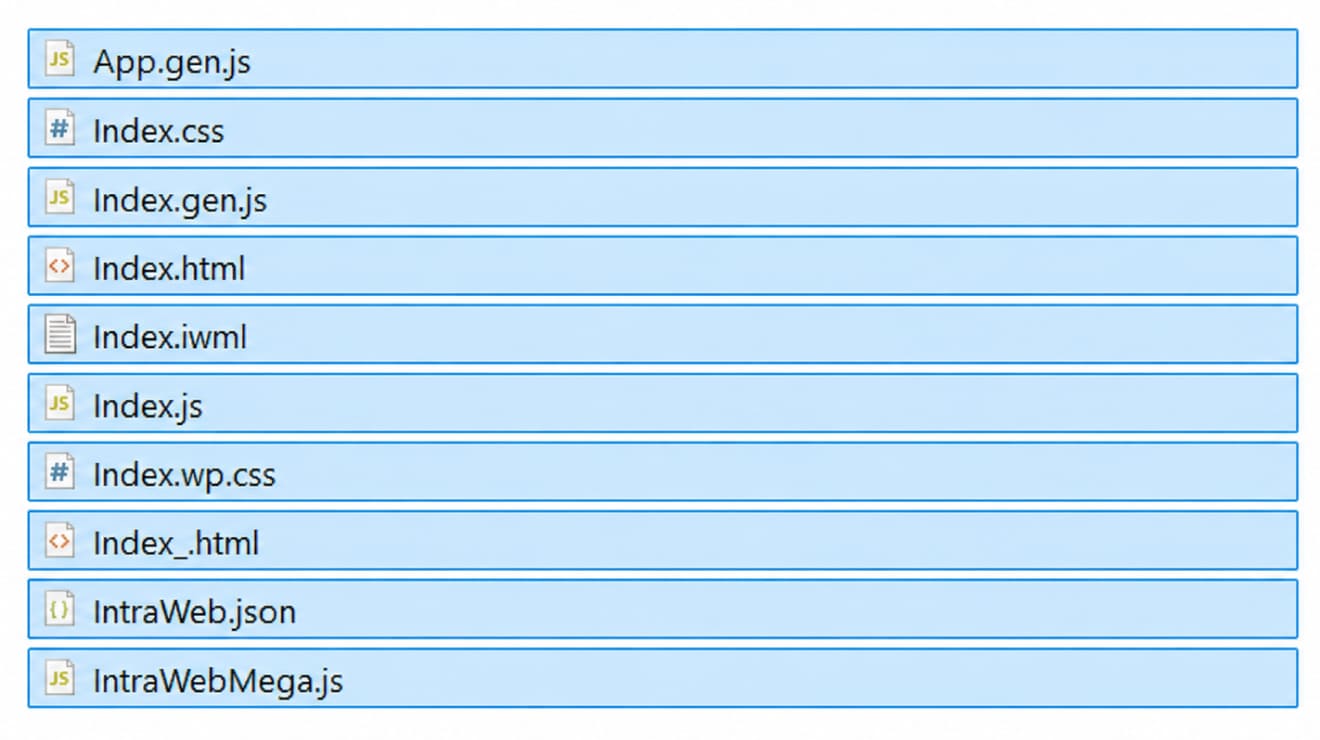 Published project files
Add Custom HTML & connect the app
In WordPress, add the built-in Custom HTML block exactly where the IntraWeb application should appear. Then paste a tiny snippet that loads the published app.
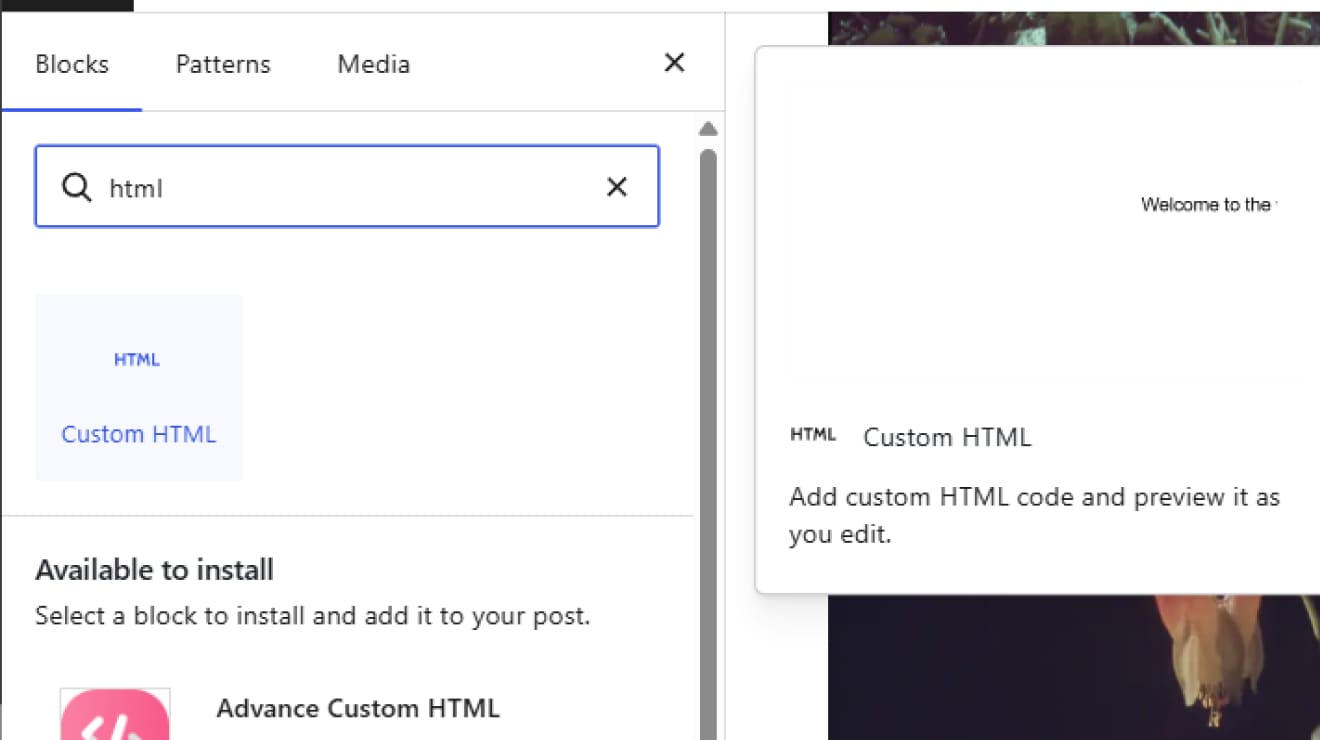 WordPress Custom HTML
 Connect the block
The IntraWeb form is live inside WordPress
The form appears inline as a normal WordPress page section. WordPress owns the page layout, while IntraWeb keeps the application logic clean, separate, and developer-controlled.

More than three decades of practical web engineering – from the first commercial tools to IntraWeb today
Atozed Software: The original web pioneer
We were here before
the Web was “cool”
In 1994, browsers were primitive and JavaScript didn’t exist. While the world was figuring out dial-up, Chad Z. was already shipping the world’s first commercial web development tools. Before ASP, before PHP, and before the framework wars, we were bridging business logic and the internet.
Internet Application
Gateway
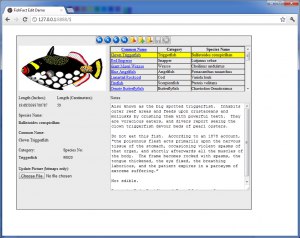
This grainy screenshot is a piece of history. It shows the birth of Internet Application Gateway (IAG), the predecessor to IntraWeb. At a time when most dynamic systems were raw code spitting out HTML strings, IAG acted as a gateway layer between business logic and HTTP.
Over 30 years of engineering lineage
From IAG in the mid-90s to Web Solution Builder in 1996, and IntraWeb today, our history is a continuous arc of engineering discipline. We don’t chase trends because we understand the foundations.
More than three decades of practical web engineering – from the first commercial tools to IntraWeb today
Atozed Software: The original web pioneer
We were here before the Web was “cool”
In 1994, browsers were primitive and JavaScript didn’t exist. While the world was figuring out dial-up, Chad Z. was already shipping the world’s first commercial web development tools. Before ASP, before PHP, and before the framework wars, we were bridging business logic and the internet.
Internet Application Gateway
This grainy screenshot is a piece of history. It shows the birth of Internet Application Gateway (IAG), the predecessor to IntraWeb. At a time when most dynamic systems were raw code spitting out HTML strings, IAG acted as a gateway layer between business logic and HTTP.
Over 30 years of engineering lineage
From IAG in the mid-90s to Web Solution Builder in 1996, and IntraWeb today, our history is a continuous arc of engineering discipline.
Be among the first to build like this.
Join the IntraWeb 17 FE beta. Direct contact with the engineering team. Free Studio license for the first year post-launch. Honest feedback, no NDAs.